440 × 956 iPhone 17 Pro Max, points
Your iPhone. Any screen.
One USB-C cable to a monitor or TV, and Sidescreen draws its own full screen at that monitor's resolution and shape. Scroll, and this page does the same.
440 × 956 iPhone 17 Pro Max, points
One USB-C cable to a monitor or TV, and Sidescreen draws its own full screen at that monitor's resolution and shape. Scroll, and this page does the same.
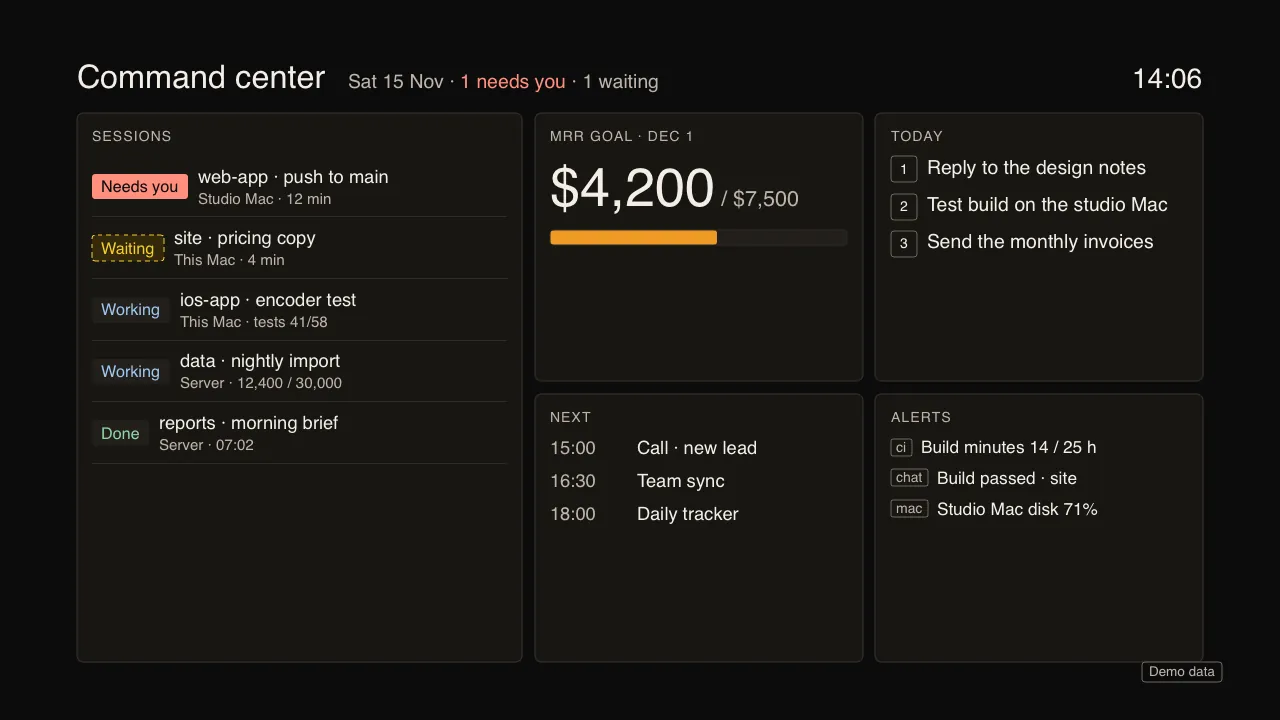
1920 × 1080 15.6-inch portable monitor, 16:9
A full screen of its own, edge to edge, no black bars, no mirrored phone. Here: Command center.
1920 × 1200 desk monitor, 16:10
It reads each screen's size, shape and refresh rate when you plug in, and lays out from that. Here: Meeting board, one site at three sizes.
3440 × 1440 ultrawide, 21:9
On an ultrawide the board gains a column instead of stretching the ones it had.
1080 × 1920 monitor on its side, 9:16
Portrait gets its own layout too. Here: Content studio, teleprompter above the camera preview.
3840 × 2160 65-inch 4K TV
Text sizes from the screen and how far away you sit. On a TV that cuts off its edges, everything stays inside the safe area, the dashed line.
°
The phone on the right, the monitor on the left, one cable between them. An interim cut from the app's own screen renders; the narrated film replaces it in this same frame.
Sidescreen reads the screen it is plugged into, then lays out for it.
One cable from the iPhone to a monitor or TV, or HDMI through a USB-C adapter. The modes are drawn by the iPhone itself at the monitor's own resolution. Each monitor is remembered: viewing distance, TV edge safe area and the mode it opens on. The iPhone stays awake while a monitor is plugged in.
The free Sidescreen helper for Mac makes a display at the monitor's exact size, so the Mac fills it too. The iPhone becomes the trackpad and keyboard. Only Macs you pair, on your own network: a code shown on both screens once, then Face ID before each connection.